 Disk Analyzer
Scans on every core
Scan whole disks or single folders, several at once. Pause or stop each scan from its row.
See what takes up space on your disk, and clean it up. Every folder becomes a ring, every file type a colour, so the biggest offenders jump out in seconds.
Scan a drive, then dive in. See it as a sunburst, icicle or treemap, coloured by file type or by age. Search for anything, and collect what can go.
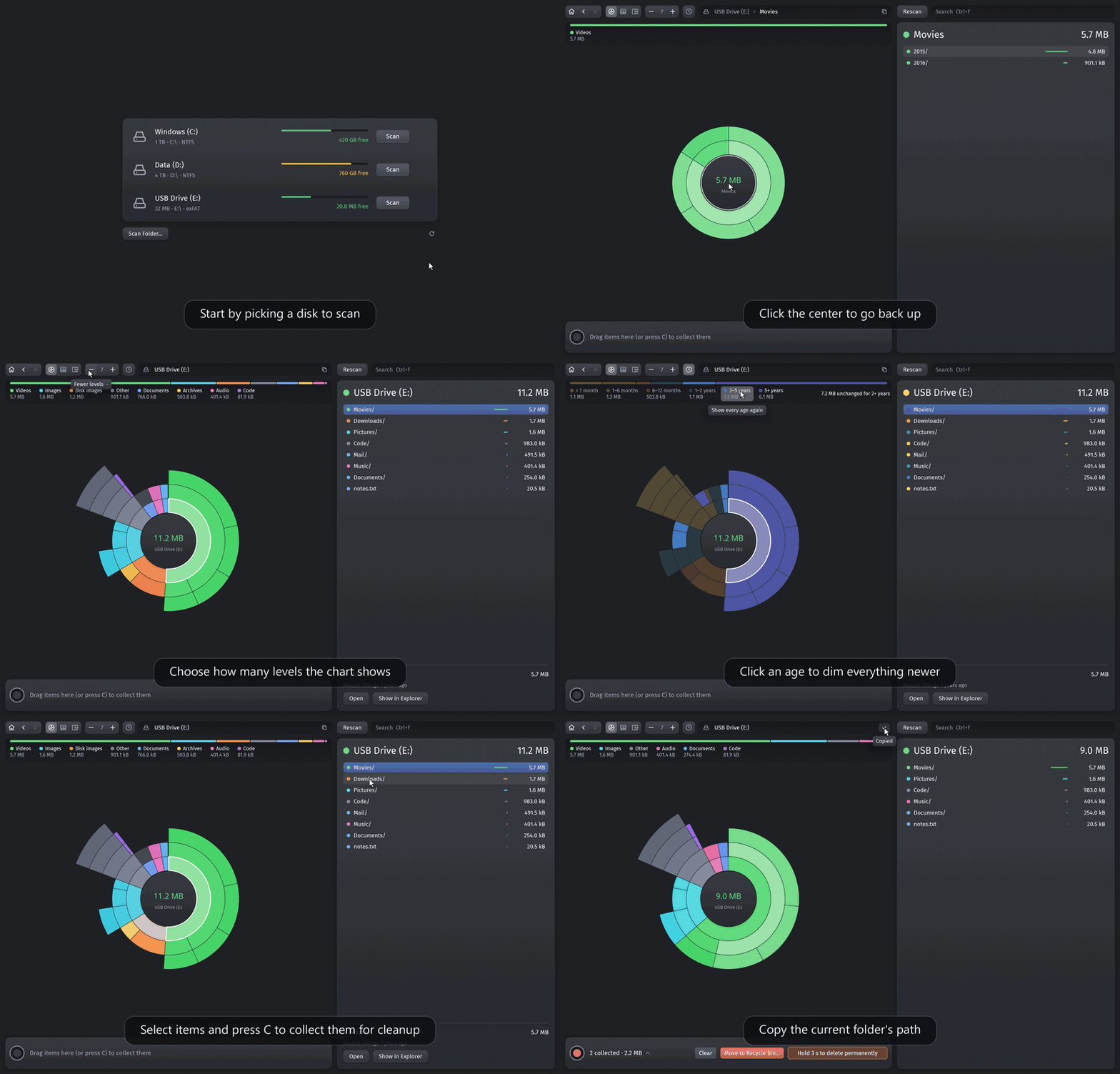
Built in Rust for speed. A scan uses every core, and the numbers are the space files really take on disk.
Scan whole disks or single folders, several at once. Pause or stop each scan from its row.
Each ring is one folder level, coloured by file type. Hover a segment for its size and share.
The sunburst unrolled into rows, with room for names and sizes, so deep folders stay readable.
Every file as a rectangle sized by the space it takes, nested in labelled folders. The giants stand out.
Warm for recent, cold for years old. Click an age to find what nobody has touched in two years.
Counts the space files use on disk, not their nominal length. Hard links and cloned copies count once.
Snapshots, purgeable space and unreadable folders get their own segment, with how to free them.
Type a name to narrow the list. The chart lights up where the matches are.
Collect files to delete and see your disk without them first. System locations can't be collected.
| Open the selected folder | Enter |
| Go up a level | Ctrl↑ |
| Switch chart: sunburst, icicle, treemap | CtrlT |
| Search | CtrlF |
| Show fewer or more levels | −+ |
| Collect for deletion | C |
| Preview the selected item | Space |
Free, for every desktop. Each button downloads straight from the latest GitHub release.
Yes. Disk Analyzer is free and open source under the MIT license. There is no paid tier, no account and no ads.
Disk Analyzer is inspired by DaisyDisk and shows the same kind of sunburst chart, but it runs on macOS, Windows and Linux. It also has an icicle chart and a treemap, the view you may know from WinDirStat.
Nothing is deleted while you explore. You collect the items you want gone, review the list, and confirm. They move to the Trash on macOS and Linux or the Recycle Bin on Windows, so you can restore them. System locations cannot be collected at all.
No. The app has no network access, no telemetry and no accounts. Every scan stays on your computer.
Disk Analyzer counts the space a file really takes on disk, not its nominal length. Hard links and cloned copies count once, and space the scan cannot see, such as snapshots and purgeable space, gets its own segment.
On macOS, give the app Full Disk Access in System Settings under Privacy & Security. On Windows and Linux, run it as administrator or root. Folders it cannot read are counted as hidden space.
Disk Analyzer is free. If it found you a few hundred gigabytes, you can chip in for the coffee that built it.
Found a bug, a folder it miscounts, or an idea? Open an issue. It is read by the person who wrote the code.